Find the AI apps, accounts, agents, and integrations your employees have introduced. No surveys, no guesswork, no waiting for someone to self-report.

Your employees are already using AI. For IT and security teams, the question has shifted from “should we allow AI?” to “how do we secure and govern it?” And that’s no small task. New AI tools, agents, and integrations show up constantly, usually without IT ever knowing.
Every one of them expands the Workforce Edge—the sprawling perimeter of apps, identities, and data your employees create just by doing their jobs. Securing it starts with seeing it.
To manage this new hidden source of risk, you need a system that gives you continuous discovery, real-time monitoring, and proactive governance without requiring a full-time team dedicated to tracking down every new AI tool. That’s exactly what Nudge Security delivers.
Here’s how it works:
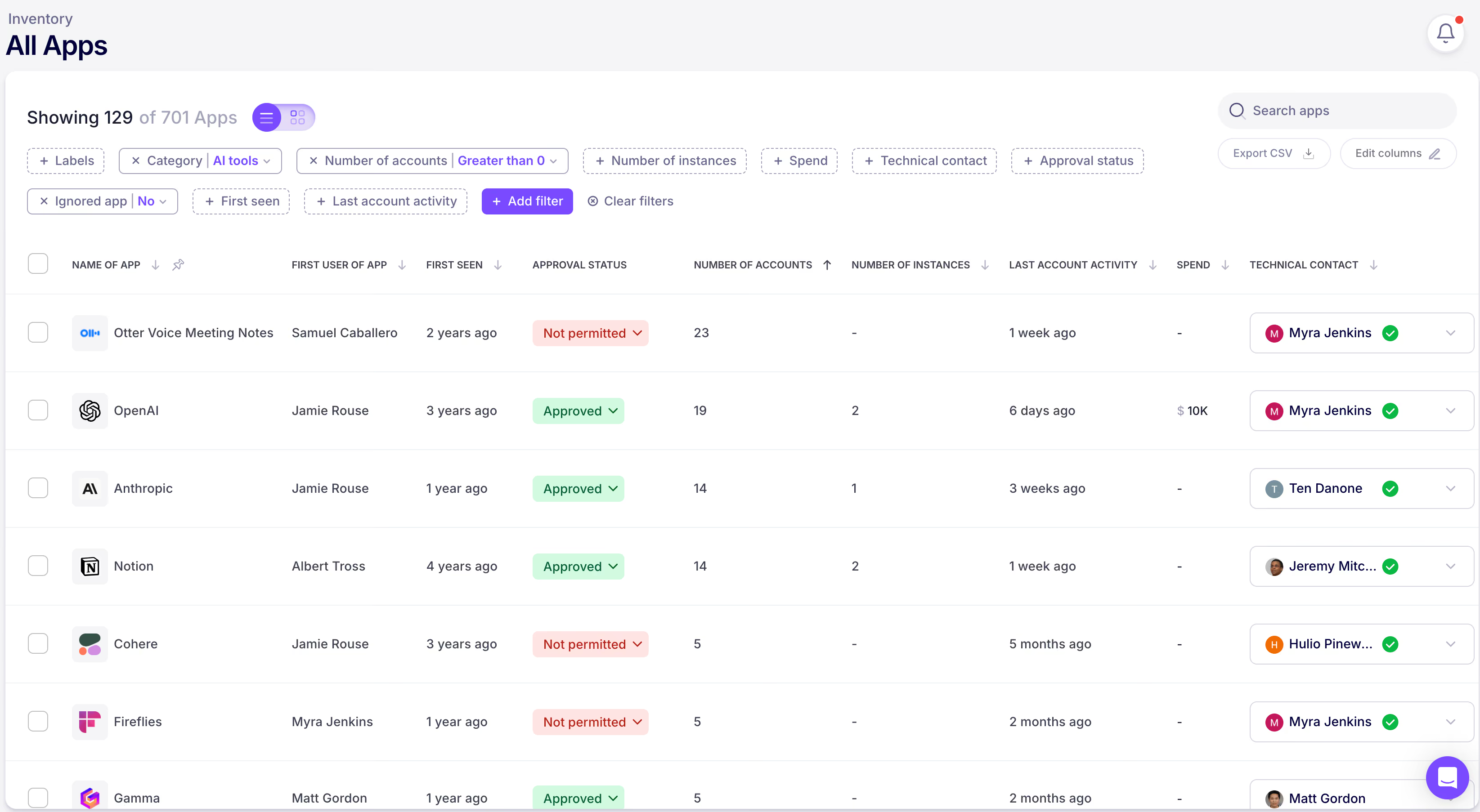
First things first—you can’t secure what you can’t see. Nudge Security gives you day one discovery of every AI app and account ever introduced to your org, even those added before you started using Nudge. No surveys, no guesswork, no relying on people to self-report (because let’s be honest, that never works). You’ll get a complete picture of your AI landscape from the moment you start.
Nudge Security’s shadow AI discovery works through a lightweight integration with your IdP (Microsoft 365 or Google Workspace). It takes less than 5 minutes to enable, and once that’s in place, Nudge Security analyzes the machine-generated emails sent by SaaS and AI app providers (think [email protected]) to document activities like creation of new accounts, password changes, changes to security settings, and more.
Nudge taps into this signal (without ever storing email content) to automatically detect new accounts and tool adoption across your workforce. This means you get comprehensive visibility into AI tool sprawl as it happens, and a day one inventory of everything introduced up to that point.
You can get expanded visibility by deploying the browser extension which delivers real-time insights and alerts when it detects risky behavior. The browser extension also discovers AI agents when users create or interact with them on platforms like Cursor automations, Retool, and Zapier Agents, along with others that don’t expose agent details via an API.
You can also “nudge” users via the browser extension (and via Slack, Teams, and email) to warn them of risky behavior, remind them of secure practices, redirect them to approved tools, ask for additional context on new or unfamiliar tools, and more.
Deeper API-based integrations into a growing list of business-critical apps like Salesforce, ServiceNow, Workato, and more provide another layer of AI agent discovery and governance.
Here’s what that looks like day to day.
AI tools are useful precisely because they’re chatty. Employees paste all sorts of things into ChatGPT, Gemini, and the dozens of other AI assistants out there. The Nudge Security browser extension monitors AI conversations and flags when someone shares sensitive data like PII, secrets, or financial info.
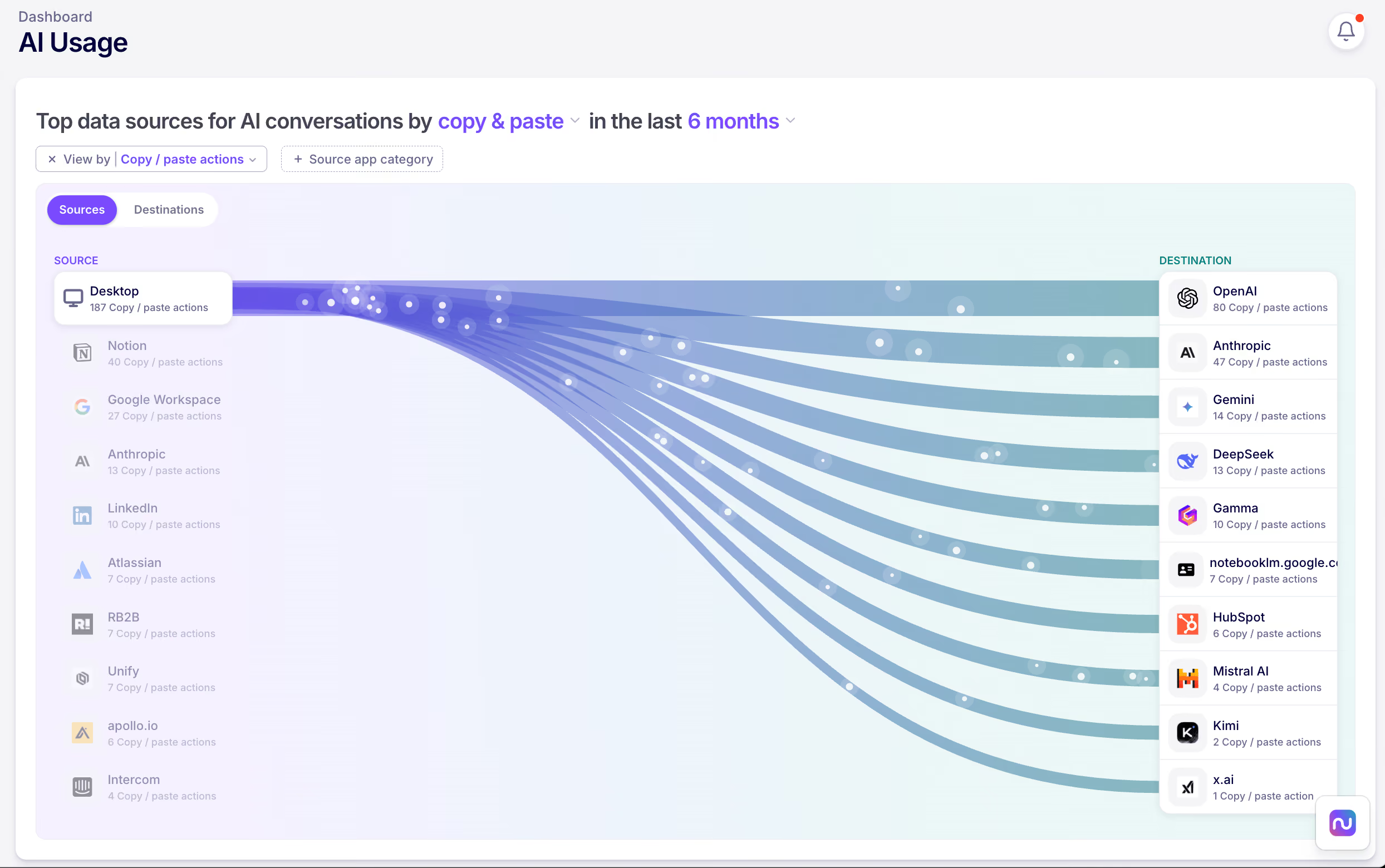
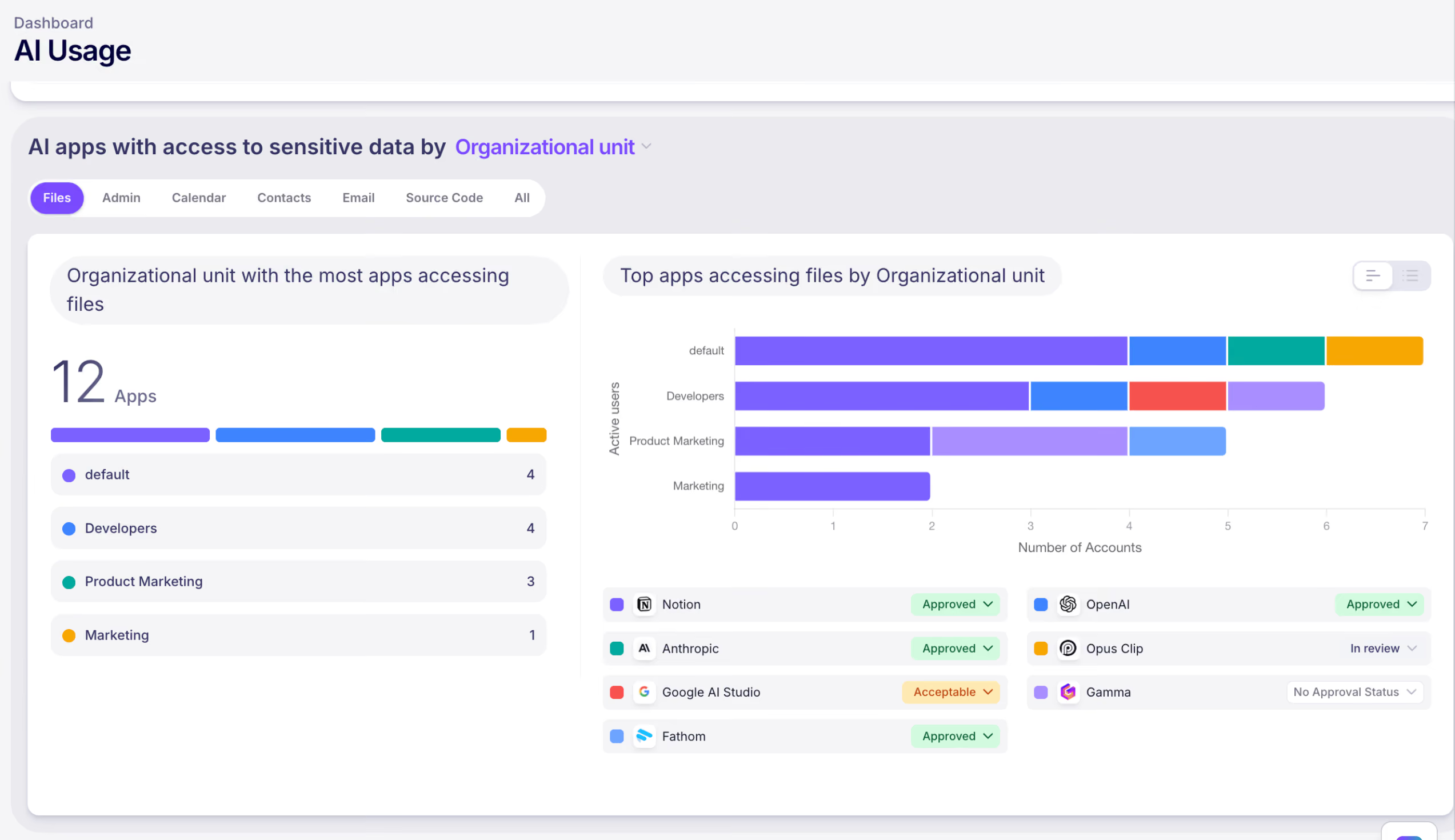
And it’s not just text. Nudge also detects file uploads to AI tools, including context on who, what, when, and how. You’ll also see a visual summary of data flows between your systems and AI tools to quickly understand where the biggest data risks are likely to be.
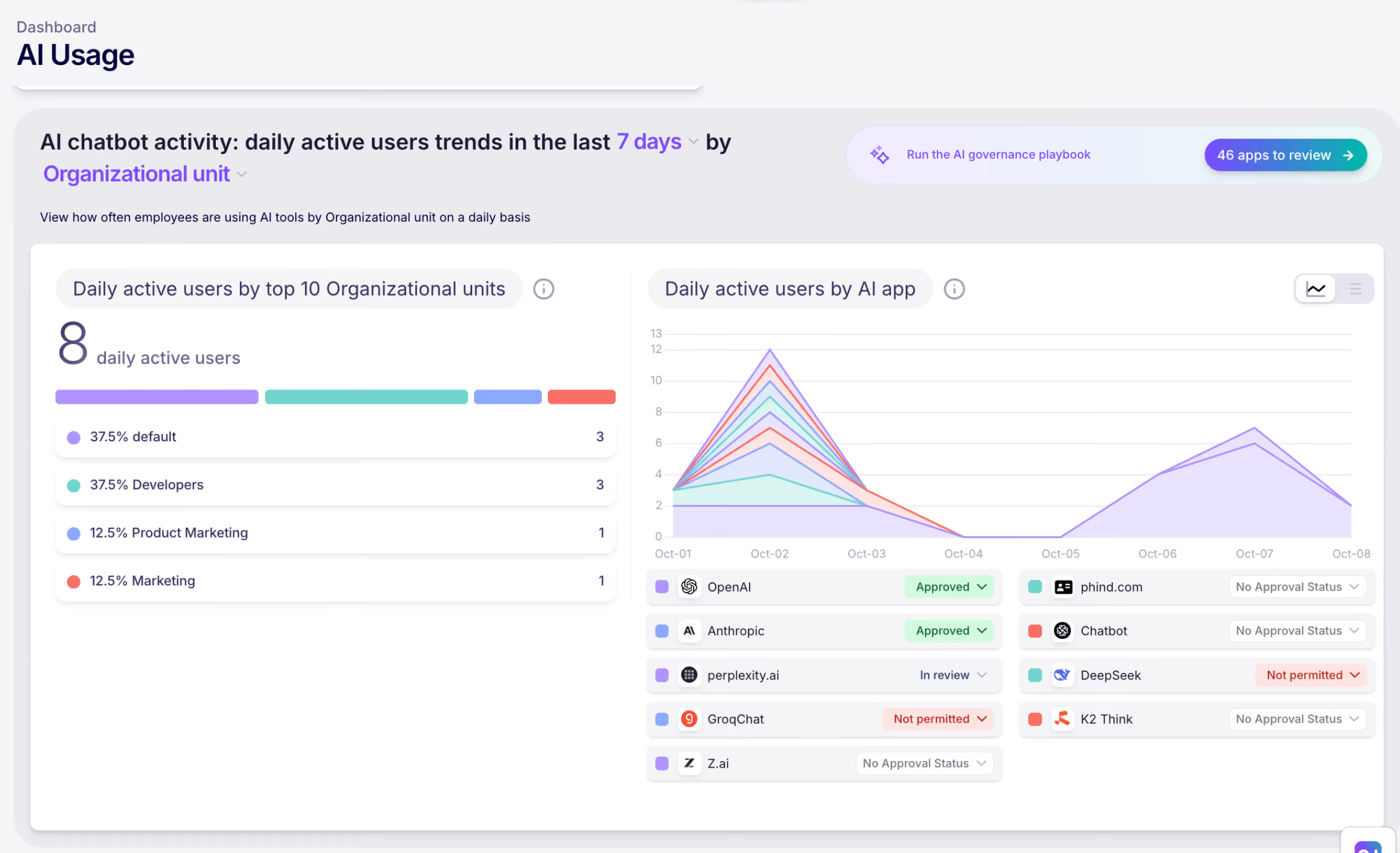
Not all AI adoption is equal. Nudge tracks AI use by approved and unapproved status, specific app, and department. You’ll finally have data showing what AI use actually looks like, so you can focus your security efforts on the most-used tools and guide people toward the approved set.
AI tools love to integrate with your SaaS apps. MCP server connections, AI agents, Google Workspace add-ons, Microsoft Copilot plugins—they’re all requesting access to data. Nudge maintains an inventory of SaaS-to-AI integrations and scopes, including MCP server connections, so you can see exactly where AI tools have access to data and evaluate the risk.
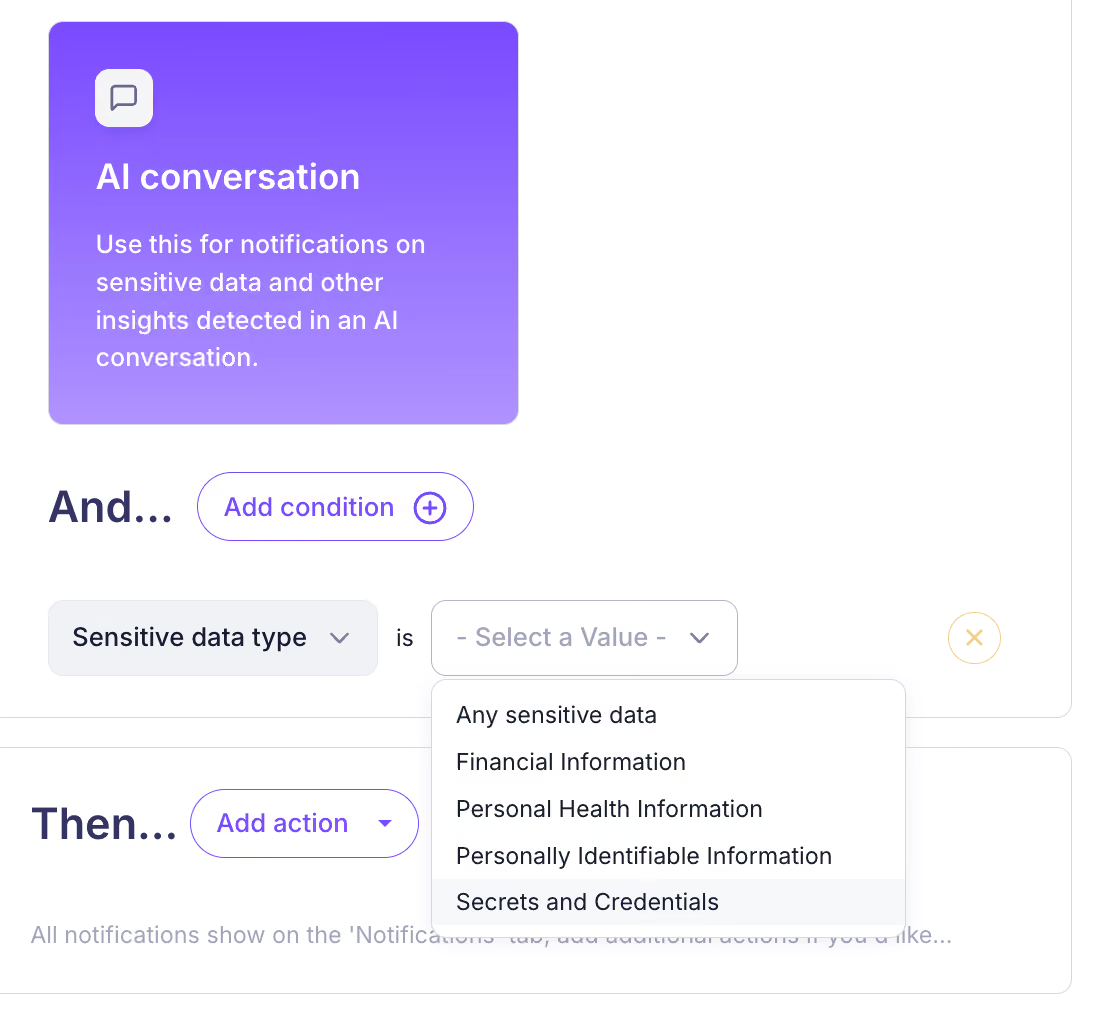
You can’t watch everything all the time. That’s why Nudge offers configurable alerts that notify you when new AI tools show up or when policy violations occur—like sensitive data sharing or use of unapproved tools. Think of it as your early warning system.
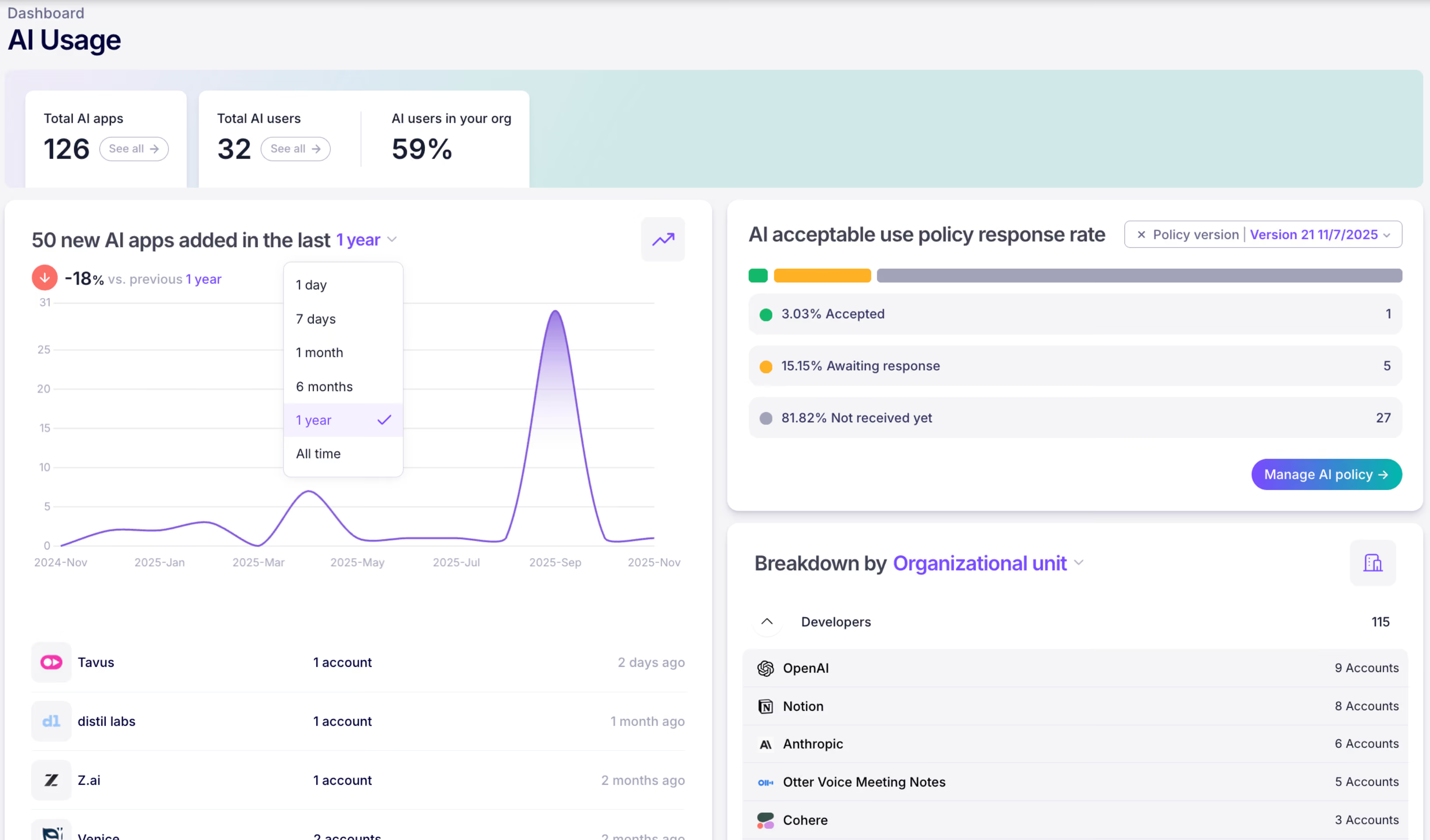
You have an AI acceptable use policy, right? Nudge automates the process of sharing your policy with employees as well as collecting and tracking acknowledgements.
But acknowledgment is just the beginning. Nudge delivers guardrails when and where employees are working in the form of friendly nudges (hence the name) that reinforce your policy and guide them toward safer AI use in real time. It’s proactive governance that doesn’t require you to be the bad guy.
Your job isn’t to stop progress. It’s to make sure progress doesn’t come with a side of data breach. Nudge Security gives you the visibility, control, and automation to govern AI use at the pace your workforce is adopting it.
Want to see what’s already running in your org? Start a free 14-day trial of Nudge Security.